Fix RGB Not Syncing | Control All RGB With One App
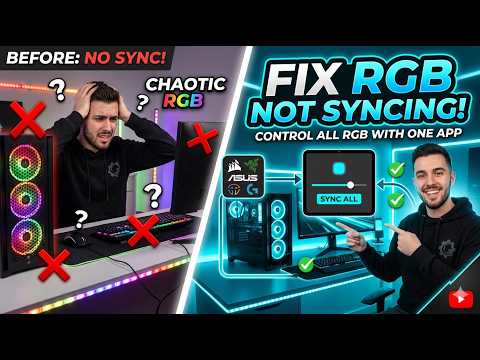
Fix RGB Not Syncing – Control All RGB With One App
RGB lights have become an essential part of smart home decor, adding a touch of elegance and glamour to any room. However, when RGB lights stop syncing, it can be frustrating and disrupt the experience. In this blog post, we'll explore the causes of this issue and provide a step-by-step guide to fix RGB not syncing and control all RGB lights with one app.
Causes of RGB Not Syncing:
- Compatibility Issues: RGB lights from different manufacturers may not be compatible with each other, leading to syncing issues.
- Outdated Software: If the software of your RGB lights is outdated, it may cause syncing problems.
- Network Connectivity: Weak or inconsistent network connectivity can disrupt the syncing of RGB lights.
- Power Cycle: Sometimes, the simplest solution is to turn off the RGB lights, wait for a few minutes, and then turn them back on.
Step-by-Step Guide to Fix RGB Not Syncing:
- Update the RGB Lights Firmware: Ensure that the firmware of your RGB lights is up-to-date. You can check for updates in the app or on the manufacturer's website.
- Restart the App and Lighting System: Close the app, turn off the RGB lights, and then turn them back on. Restart the app and see if the lights are syncing correctly.
- Check Network Connectivity: Ensure that the device controlling the RGB lights is connected to a stable network. If the network is weak or unreliable, it may cause syncing issues.
- Check Compatibility: If you have RGB lights from different manufacturers, try connecting them separately to check if they're working individually. If one set is not working, it may be due to compatibility issues.
- Reset the Lighting System: If the above steps don't work, you may need to reset the lighting system to its factory settings. Check the manufacturer's instructions for specific steps on how to do this.
How to Control All RGB Lights with One App:
To control all your RGB lights with one app, you'll need a smart home hub that supports multi-protocol control. Some popular options include:
- Home Assistant: An open-source home automation hub that supports a wide range of protocols, including Zigbee, Z-Wave, and Philips Hue.
- SmartThings Hub: A popular smart home hub that supports a wide range of devices, including RGB lights.
- Hubitat Elevation: A smart home hub that supports a wide range of protocols, including Zigbee, Z-Wave, and Philips Hue.


Comments
Post a Comment