The Truth About PC Ownership: What You're Not Aware Of and How to Regain Control
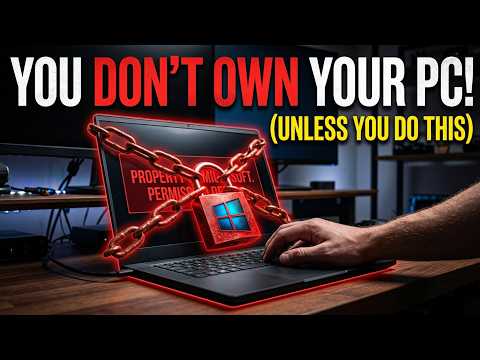
You Don't Own Your PC Unless You Do This
As a PC user, you might think that owning a computer means having complete control over it. However, the truth is a bit more complex.
In today's age of software as a service (SaaS), cloud computing, and digital rights management (DRM), even the most basic PC users are unknowingly tied to their manufacturers and software vendors.
Are you ready to take back control of your PC? In this article, we'll explore the hidden pitfalls of PC ownership and provide you with a straightforward, step-by-step guide on how to regain your freedom.
The EULAs and Licenses You're Not Aware Of
Every PC user agrees to a lengthy EULA (End User License Agreement) when they purchase a computer or install software. While these documents seem like trivial paperwork, they contain some critical information you need to know:
''Your license to use the software is conditional upon you not exceeding the permitted usage limits.''
-'By using the software, you agree to abide by all applicable laws and regulations.''
While these conditions seem harmless, they give manufacturers and software vendors a significant amount of control over your PC. For example, if you use your PC for work or other commercial purposes, you may have exceeded the permitted usage limits. Similarly, if you fail to abide by applicable laws, you could face penalties and fines.
It's not just software and EULAs you need to worry about - there are other agreements and licenses that impact your PC ownership. These include
'Terms and Conditions of Service' (T&Cs) - which outline the rules of engagement for cloud services,
'Device Licenses' - which restrict your ability to modify or customize your hardware,
'RMA' (Return Merchandise Authorization) agreements - which dictate what you can do with returned products.
If you're unaware of these agreements, you're unwittingly tying yourself to your vendors and limiting your freedom of action.
How to Regain Control of Your PC
Sounds ominous, right? The good news is that taking back control is easier than you think. You can do the following:
1: Understand your agreements - Read through your EULAs, T&Cs, device licenses, and RMA agreements carefully. It may be time-consuming, but you need this knowledge.
2: Limit your cloud usage - Review your cloud usage and scale back whenever possible. Try to use cloud services only as long as it doesn't go against your agreements.
3: Upgrade or switch vendors - Don't be afraid to switch vendors or upgrade to new ones that respect your freedom and don't tie you down with restrictive agreements.
Don't assume that you're fully in control of your PC. Instead, stay vigilant and stay informed about the licenses and agreements you're signing up for. If you want to truly own your PC, you should do this.


Comments
Post a Comment