Windows 11: New Taskbar Rolled Out
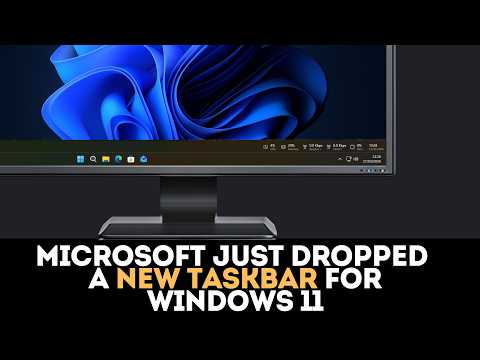
Microsoft Just Dropped a NEW Taskbar for Windows 11
Microsoft has silently unveiled a new taskbar design for Windows 11 that looks and feels fresh compared to the existing one. It seems that Windows 11 has been getting an incremental update of its taskbar. This isn't your average minor UI tweak. With this update, Windows 11 taskbar resembles more of Windows 98 and 2000.
There are three noticeable changes: centered clock and icons, more spaced icons and a new system tray layout. The system tray gets a cleaner and uncluttered view of the system's status indicators. The clock is shifted to the center of the system and also, the icons on the taskbar are spread out evenly, giving more space between each app's icon and the taskbar's edge.
It's good to note that the updated Windows 11 taskbar design does not have any significant changes to its core functionality. This new design aims for visual improvements rather than any functional change.
How to Get the New Taskbar Design
To get this new taskbar design, update your Windows 11 to the latest available version. The update is rolling out gradually so it might not be available immediately.
Why Microsoft Did This?
Microsoft is continuously striving to create a UI that resonates with its users. This visual adjustment shows that the tech giant is actively working on revamping Windows to be more user-friendly and aesthetically pleasing. With the increased space between icons, the new design can aid in reducing visual clutter and create an atmosphere where users can comfortably browse and use their apps without feeling overwhelmed.
What Do You Think?
Is the refreshed Windows 11 taskbar something you were waiting for? Do you like the centered clock and more spaced icons? Share your thoughts in the comments.
If you want to see our full collection of blog posts, check out our home home page or our articles tagged windows and taskbar


Comments
Post a Comment